
This is what a google search for “koala.owl” brings up:
Just saying.
[cc-licensed image by Connor Vick]
Data, tech, non-alc, ramblings
This is what a google search for “koala.owl” brings up:
Just saying.
[cc-licensed image by Connor Vick]
While playing around with the triple stores and a MySQL db on our Macs, I ran into a little problem when trying to change a column name in one of the tables in the MySQL database. The error message I got from the MySQL workbench was mildly confusing:
Error 1005: Can’t create table ‘families’. (errno: 13) […]
Error 1046: No database selected
Since the query was automatically generated by the MySQL workbench, I presumed it had to be correct. A bit of googling, and this friendly chap’s forum post helped me find the solution to the problem: Access rights. As always. Here’s how you allow the MySQL user to write to the MySQL directory:
Find the name and group of the MySQL user in /etc/group and /etc/passwd respectively:
less /etc/group
less /etc/passwd
On our Mac OS X 10.7 Mac mini with a default MySQL 5.5 install, the user name and group is _mysql.
Then set the owner and mode of the MySQL install directory:
cd /usr/local
sudo chown -R _mysql:_mysql mysql-5.5.25-osx10.6-x86_64/
sudo chmod -R 755 mysql-5.5.25-osx10.6-x86_64/
This may be obvious, but make sure you chown/chmod the actual MySQL directory, not the symlink in /usr/local which is named mysql.
That’s it – you should be able to modify your database now.
This:

Discuss.

Got me one of them fancy retro picture apps on my phone now, all retro stylee here!
Anyway.
One rainy Saturday morning we were working our way through our adventure time stack of leaflets, flyers and maps which we have accumulated over the past year or so, looking for something to do on this rather miserable day. For a fraction of a second, the thick blanket of clouds opened up just about enough to let through a single ray of sun light, lighting up the leaflet I was holding in my hand. That very same moment, the church bells next door started to ring their most beautiful song, and an elating, almost euphoric sensation pulsated through my body. When I looked down at the leaflet, which was still lit up by that single ray of light, I knew we had found our destination for the day: Bury Market.*
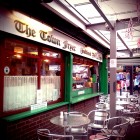
And it was… well, big. Very big. A paradise for anyone who really, really needs several pairs of slippers. And meat. Lots of meat. In the food bit, there were fewer fancy food stalls with cake (CAKE.), chocolates, deli stuff, the usual, than I had hoped for, and the few fruit and veg stalls weren’t too convincing. Which, of course, did not stop me from buying my way across the various food stalls at the market. But then, just as I was wandering through a remote corner of the market, trying to find something lunch-able, I had the second epiphany of the day. All of a sudden, I could hear a quiet, friendly voice behind me: “Please… eat this. If you eat here, you will be very, very lucky today!”
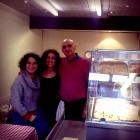
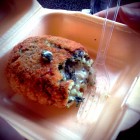
“Well, I suppose if the food already starts talking to me, it has to be a lucky day” I thought and turned around. Three faces smiled at me, framed by an array of food and little signs. “We only just opened today, you should really eat something we made… it will be your lucky day!” one of the faces said to me. I quickly scanned the food on offer, just to spot something familiar looking: A small, bread crumb covered ball – an “arancina”, a deep fried risotto ball, which I had just discovered on a trip to Rome the week before. As I am unable to say no when offered food, particularly not by friendly faces, I accepted the offer for food and quickly engaged in a little chat while waiting for the “arancina” to finish its bath in the deep fat fryer. Turned out the stall owners of “La Putia” were incredibly friendly Sicilians with a love and a lot of enthusiasm for food, who were more than happy to talk about Sicilian specialities, Italian food in general, ice cream and tiramisu in particular, and which Italian restaurant in Manchester was the best (apparently none is proper Italian despite the Italian chefs and owners, but San Carlo comes close). I walked away with a delicious little crunchy-creamy risotto and spinach ball and a phone number for home made tiramisu, which happily joined the blocks of cheese, whimberry pie and fancy cordial in my bag. A lucky day indeed!






* In case you’re wondering: the tram to Bury was on time, the tram back into Manchester was massively delayed. That’s 50% of my Metrolink journeys this month delayed, good work TfGM! Oh and, by the way, the new black bus stop signs are ridiculously difficult to spot. Who thought “hey, we’ll design some bus stop signs that blend in smoothly with the urban environment” was a good idea?
So, I went to my local Co-op the other day to buy lunch items, when this charming young lady greeted me from the bottom shelf of the newspaper stand:

Seriously? I can just about cope with the ubiquitous boob, but this is a little too much for me.* I don’t even mind that whoever was stacking the newspaper shelves at the Co-op this morning put this at convenient eye level for children; I’m more concerned about the fact that someone at the Sunday Sport looked at the picture and said “Yup, this makes a perfectly acceptable cover image for our paper.” – DUDE! Calling yourself “funny” doesn’t mean you’ve got the license to print smut.
On a side note, I tweeted at the Co-op and they replied straight away and said they were going to “look into it”. Well done and thanks!
* Good use of the empty space between her legs, I’m sure Emma Watson will be pleased to see her face crowned by a vagina.
And now for the third in a row of triple-store installations. This time it’s Sesame, an open source datastore for RDF and relational data. Thankfully, due to the minimal requirements and the pretty good documentation, the installation was quick and much less painful than expected.
Hardware: Apple Mac Mini (running Mac OS X Lion 10.7), out of the box
I followed mostly the instructions given on http://www.openrdf.org/doc/sesame2/users/. They explain stuff quite well, so it was actually rather enjoyable to read. You can also find a diagram of the Sesame components, which is helpful. Study and memorise!

1) Set up environment: Logging
(Sesame doc mentions 5.5 or 6.0, so I went with 6.0 instead of 7.0 just to be on the safe side)
3) Sesame server / workbench installation
>> Workbench is accessible on http://127.0.0.1:8080/openrdf-workbench
Sesame should be up and running now!
The default data directory on Mac OS X is /Users/fishdelish/Library/Application Support/Aduna/OpenRDF Sesame
4a) Create a repository and import RDF data using Sesame console
Create a new store: either in-memory or native. I chose native due to the relatively small RAM on our machines: “The native store uses on-disk indexes to speed up querying.”
In the console, type:
To exit the console: use exit. or quit.
4a) Create a repository and import RDF data using the Java API
Or do the same using the SesameJava API. Good explanation of the Java API in section 8.2 on http://www.openrdf.org/doc/sesame2/users/ch08.html – I’m just giving you the rough outlines of the code, without error handling etc.
Create repository:
File dataDir = new File("/path/to/datadir/");
Repository myRepository = new SailRepository(new NativeStore(dataDir));
myRepository.initialize();
Import data:
File file = new File("/path/to/example.rdf");
String baseURI = "http://example.org/example/local";
RepositoryConnection con = myRepository.getConnection();
con.add(file, baseURI, RDFFormat.RDFXML);
5) SPARQL query time!
Connect to repository using the Java API:
String sesameServer = "http://example.org/sesame2";
String repositoryID = "example-db";
Repository myRepository = new HTTPRepository(sesameServer, repositoryID);
myRepository.initialize();
Then simply query the Repository() object, as described in the documentation.
Part 2 of the “Things PhD students do on a saturday night” series: Having successfully installed 4store on our brand new Mac Mini running OSX 10.7 (Lion), I went on to tackle the next candidate for our triple-store-o-rama: Virtuoso (Open Source Edition).
I followed mostly the instructions on the Virtuoso wiki, which are not quite as nice as the 4store ones, but managed to get me through the installation process without major incidences: http://virtuoso.openlinksw.com/dataspace/dav/wiki/Main/VOSMake
A short and clear overview of the installation process can be found on Kingsley Idehen’s blog.
Here we go:
Hardware: Apple Mac Mini (running Mac OS X Lion 10.7), out of the box
Install dependencies
If you’ve previously installed 4store, some of these might already be installed. You’ll also need fink, which I’ve described in the previous post. Using fink install, install the following libs:
If one of them won’t install, check with fink list pkgname what the alternative package name is and whether it’s already installed. If it’s already installed, this will be indicated by an “i” in the first column of the results that fink list returns.
Install Virtuoso
1) Download Virtuoso Open Source version:
curl -O -L http://downloads.sourceforge.net/project/virtuoso/virtuoso/6.1.5/virtuoso-opensource-6.1.5.tar.gz
(-L is necessary to ensure curl follows the redirect to the respective mirror on SourceForge, took me a while to figure that out…)
2) Unpack the tarball:
tar -xvzf virtuoso-opensource-6.1.5.tar.gz
3) Set compiler flags (check out the Make FAQ for a list of settings on other systems)
4) Configure and install:
5) Add path to the bin directory to the PATH environment varibale in ~/.profile:
Open text editor and add:
PATH=$PATH:/usr/local/virtuoso-opensource/bin/
Starting Virtuoso and importing data from a file
1) Add directory which contains data file to virtuoso.ini:
sudo emacs /usr/local/virtuoso-opensource/var/lib/virtuoso/db/virtuoso.ini
>> Add the directory path to DirsAllowed parameter, e.g. in our case /Users/fishdelish/fishbench/tests/testfish.n3
2) Start the Virtuoso server:
3) Import data:
(see some information and screenshots here:) http://www.proxml.be/users/paul/weblog/3876f/
Connect to DB to get an SQL prompt:
Import data (from n3 format, otherwise use DB.DBA.RDF_LOAD_RDFXML_MT from RDF/XML)
4) Access via http:
Shutting down the server
Open SQL prompt and use command SHUTDOWN;
When the server isn’t shut down properly, there might be problems starting up next time. Manually removing virtuoso.lck in the virtuoso/db directory can solve this.
For a recent project, we had to install a selection of RDF triple stores on a Mac Mini, which had literally just come out of the box. Since it was a bit of a mission to get everything up and running, I thought I’d better keep track of what I did. Here’s the steps taken to prep the machine and set up 4store – it looks pretty long, but if everything works (if…), it shouldn’t take more than 15 minutes. May the odds be forever in your favour.
Hardware: Apple Mac Mini (running Mac OS X Lion 10.7), out of the box
Install XCode, Command Line Tools, and Java on the Mac:
Install Fink on the Mac to be able to use apt-get etc. (needs XCode + Command line tools)
Install dependencies using Fink
All other libs seem to be installed already. Then set your .profile file to init fink on startup:
Install 4store
(I mostly followed the instructions here: http://fishdelish.cs.man.ac.uk/2011/installing-4store/)
1) Download and install Raptor
Raptor is an RDF syntax library, provides parsers and serializers.
2) Download and install Rasqual
Rasqal is a library that handles RDF query languages, e.g. SPARQL, supports all of SPARQL 1.0 and most of 1.1.
Make sure both rasqal and raptor have a .pc file in their directories. If not, you might have forgotten to run configure which should generate the .pc file from .pc.in.
3) Set environment variables so that the 4store install can find raptor2 and rasqal
Set to the directories which contain the raptor2.pc and rasqal.pc files:
4) Download 4store tarball (latest version on http://4store.org/download/) and install:
Run a series of tests to see whether 4store works:
Create a triple store once 4store is installed
http://4store.org/trac/wiki/GettingStarted
1) Setup the DB:
4s-backend-setup testfish
2) And start the DB backend:
4s-backend testfish
(Stop the DB: pkill -f ‘^4s-backend testfish$’ )
3) Import a test file:
(I just used a few triples I copied from from http://www.w3.org/TR/rdf-testcases/#ntriples)
4s-import -v testfish –format ntriples testfish.n3
Important: Import doesn’t work if the httpd is running. Also, make sure there’s no line breaks in the .n3 file.
4) Start http server for SPARQL endpoint and nice HTML frontend for tests:
4s-httpd testfish
(to kill the server, e.g. to import data: killall 4s-httpd)
That’s it. You should have a working 4store install and a sample DB now. Please be warned that I can’t guarantee that everything will work as it should if you follow these instructions 🙂
At the OWL: Experiences and Directions workshop last weekend, Bijan Parsia proposed a W3C Community Group for the upkeep and advancing of OWL, the Web Ontology Language of our choice. The aim of the group is to
” support the activist part of the OWLED mission”
A more elaborate explanation and the proposal slides can be found on our owl.cs pages.
Update: The group has found sufficient support and now exists with 21 members.
Woah. I mean, seriously, like, totally, woah. Manchester, what the hell is that super bright white and yellow ball in the sky that makes everything go really hot?
The end of the world must be near, because the unspeakable has happened: For the second time this year already, Manchester has seen a spell of sunny weather. And by that I mean not just the usual sunny and grey and humid half-arsed Mancunian “meh” attempt at summer, but scorching hot sun, upper 20ish temperatures, bright blue skies, and not a single cloud, in best continental end-of-May-beginning-of-outdoor-swimming-season tradition. It’s taken four years in this city for me to witness this kind of weather, and my mind is genuinely blown.

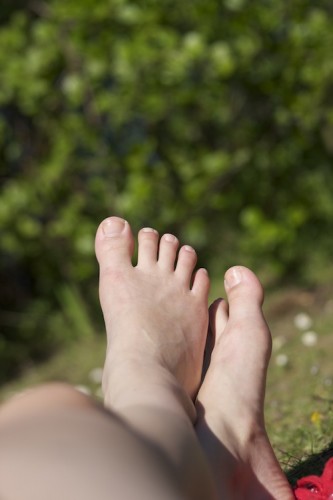
In search of some cooling on this particularly hot weekend, we went on a little excursion down to Chorlton Water Park. I wasn’t expecting to find any particularly nice spots (location is everything for me!), but after we had cycled round the lake a couple of times, we did indeed find a nice shady bit of grass, right next to the water on the southern side of the lake. I never thought I would say this, but for the first time in years, I didn’t actually miss the continental European summer – sun, water, ducks and trees made me feel like I had just stepped out my parent’s front door*. After a failed attempt to complete the Big Issue sudoku, I decided to not bother doing anything and promptly fell asleep in the grass, while my companion was taking fancy macro pictures of fireflies.
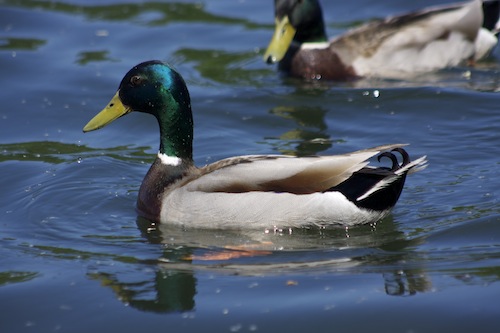
An hour and a mildly sunburned shoulder later, I awoke from my comatose sleep. We could no longer resist the call of the one sunny day staple we had yet to devour: Ice cream. Thanks to impressive Twitter research skills, my companion had already found out that Ginger’s Comfort Emporium had parked up on Beech Road that day – only a short bike ride away from us. I had sadly missed out on Ginger’s tasty treats at the Ancoat’s Ice Cream Festival mess last year due to massive queues, but we were much luckier this time and found the van calmly waiting for our arrival. What happened next is all a little blurry, but it involves rhubarb crumble ice cream, rum, lime & ginger ice cream, extreme deliciousness, and an owl, and culminated in me spending my last £3 on quintuple chocolate caramel banoffee brownies. Or so.
What a day.

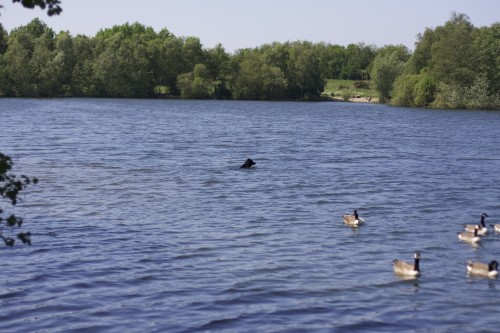
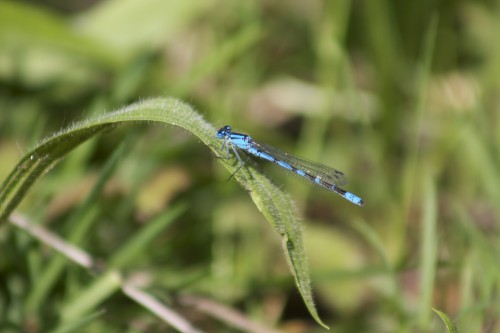
* Well, and walked around 30 minutes up that bloody hill to get to a lake, but let’s just stick with the short version for the purpose of nostalgia, yes?
 Sam Bail
You must be logged in to post a comment.