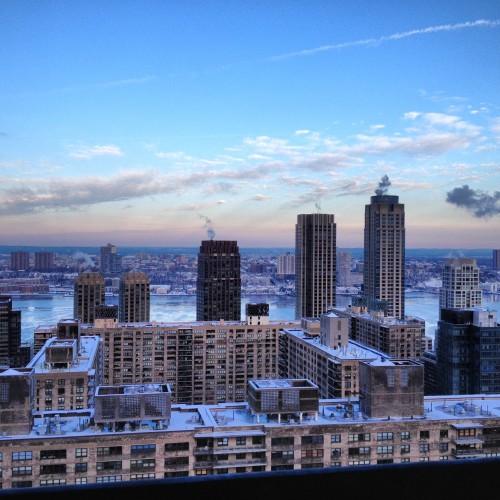
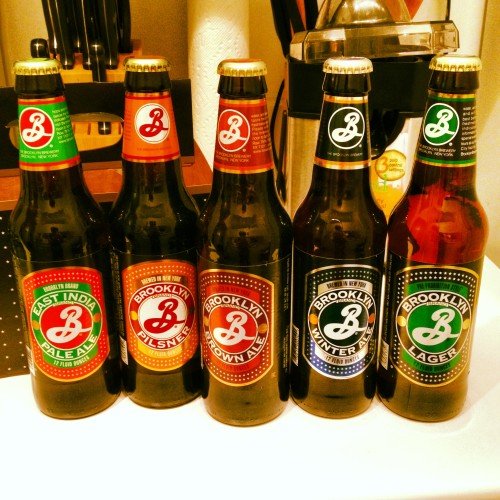
PEOPLES. After 5 1/2 years in Manchester, a few weeks in Barcelona, and four months in Germany (living with my parents… oh the glamour!) I’ve somehow ended up working in New York. Yes, I have a job. I pay taxes. I’ve signed a lease for an apartment. I pay bills. I tried to apply for a credit card and got rejected. I’m a proper adult now, me. Life has been pretty crazy as you can possibly imagine, but here’s some pictures to keep you entertained while I’m gearing up for another round of mightaswell.
Author: Sam Bail








Goodbye?

With the completion of my PhD in September, my time in Manchester has most likely come to an end. While I’m still officially a resident, I’ve been moving around Germany (with a quick stint in Barcelona) for the past couple of months, visiting friends and family, and there’s some more holidays planned. I’m not quite certain what my next stop will be, and whether I’ll be continuing to write on mightaswell, start a new blog, or leave the writing and ranting to others.
For now, I’ll leave this site up as an archive of my five years in Mancland (I keep referring people to blog posts… quite handy!) and then I’ll see what I’ll do with it once I’ve got a fixed address again. Exciting times.
Chorlton Water Park to Dunham Massey along the Bridgewater Canal

“We were lucky this year – summer fell on a bank holiday”.
(someone on Twitter)
I was going to write an elaborate blog post about how we cycled down to Dunham Massey (a large country park south of Manchester) where we had a picnic in the gardens and saw deer and baby rabbits, but all you need to know is this: Start at Chorlton Water Park, carry on to Sale Water Park, keep going until you’re at the point where it says “Overflow River Channel” on the map snippet below. You’ll be going under a bridge, follow the bend of the path just up onto the “bridge” which turns out to be the canal. Then follow along the canal for about an hour or so until you get to the exit off the tow path that’s closest to Dunham Massey (GPS/Google Maps is your friend). The surface is quite good in most places except for some bumpy bits when you get closer to Dunham Massey, but I managed well with my fairly thin hybrid wheels. If you get off at the right spot, you’ll go under a bridge again and end up almost outside the park. Say hi to the baby rabbits.
http://www.bridgewatercanal.co.uk/bww.html

[Photo by David Jones]
Upcoming exhibition: Typographic, Urban and Americana Art by Patrick Macauly
I don’t usually announce events on this blog, but I would like to recommend this exhibition to all of you:
Typographic, Urban and Americana Art by Patrick Macauly
Exhibition at 2022NQ, Manchester October 4th – 10th 2013. Opening night on 4th October by invitation only.
Patrick’s art combines typography, colour, and wood such as reclaimed timber into pieces which remind of deserted houses and factories and… tumbleweeds. Besides the beautiful art, Patrick and his wife Linda are also rather awesome people: I’ve known them since we did the “Beards of Manchester” calendar (Pat was our “Mr December”), and Linda has been a core member of Manchester Girl Geeks for quite a while – I can’t thank her enough for the time she dedicated to helping out at our workshops and “Digital Skills for Women” IT courses.
So, if you want to see lovely art and meet lovely people, get down to 2022NQ in October!
South Manchester to Macclesfield cycle, via Lyme Park and the Middlewood Way

Awesome weather = time to get on yer bikes! I’ve been meaning to visit Lyme Park for ages, so we used the opportunity last weekend and set off south towards the park. From our front door to the station in Macclesfield the ride took us about 6 hours, which included quite a few stops for map reading and route changes, and a couple of longer breaks for food and drinks. The route is mostly flat, with very few hills. Regarding the road surface, I managed well with my 7 gear hybrid bike with tyres that are on the thin side, although I did push on some paths that might be manageable with mountain bike tyres. We used a Cycle GM cycle map number 7 (Stockport).
We started our trip in South Manchester and followed the 62 cycle route down to Stockport. This part is a bit tricky and depending on where you’re coming from, it’s probably best to just read the map and aim for Vernon Park to get through Stockport city centre.
Our initial plan was to simply follow New Bridge Lane/Stockport Road/Osborne Street until we got to the 55 cycle route, but when we cycled past Vernon Park we decided to have a quick wander round the park (which is lovely, by the way!). We had a look at the park map and figured we could hit the 55 if we just went along the footpath by the River Goyt until we got to Jim Fearnley bridge which is marked on the cycle map. This plan turned out to be rather adventurous, as for the first stretch along the river we had to carry our bikes up and down steps, planks, and over a few fallen trees. However, once the initial climbing was done, the footpath along the river was wide and suitable for cycling, and the views were marvellous.
Once we got closer to the bridge, there were a few more steps up and down, but again nothing too bad. We went past a cricket club (which appeared to be in the middle of the woods, with no access roads…), crossed over the bridge (dodging the kids racing their bmx bikes down the steep hill) and turned left onto the path to finally get onto the 55. Just shortly after that the 55 leads to a main road, where we did not follow the 55 signs pointing to the left but took a short cut, turning right onto the main road which wasn’t too busy and had a off-road cycle path for a short bit as well. The road took us directly to the Railway pub in Marple, where we had a short pit stop before getting back onto our bikes.
The 55 cycle route starts again just next to the Railway pub, so from there on it was plain sailing/cycling, as we only had to follow the path and signposts down the Middlewood Way. We left the path when we got to the “Nelson Pit Visitor Centre” signs, crossed over the cycle path and the canal, down Lyme Road (a private road that is marked as a public footpath) which took us up a bumpy hill (more pushing) to the gates of Lyme Park. A little further up the hill (past some overheated sheep) the views were brilliant, as we could see all the way down to Manchester. We followed down the path to get onto a paved road, which took us directly to the Lyme Park car park. The hall and gardens close quite early, so we decided to save the visit for another day and have lunch/tea at the pond instead.

Originally, our plan was a round trip to Lyme Park and back up to Manchester, but since it was already quite late and the sun had worn us out, we decided to cycle on down to Macclesfield and take the train back instead. We left Lyme Park the same way we came and went back onto the Middlewood Way (55) cycle path. The ride to Macclesfield was easygoing, taking us past the White Nancy near Bollington and some rather interesting solutions for bridging height differences. The Middlewood Way seems to lead directly to Macclesfield train station, although I think we took the wrong turn somewhere and had to do a few right-left combos past a Tesco’s to get to the station. The trains to Manchester run every 15 to 20 minutes, and finding a train that would take our bikes wasn’t a problem.
The trip was absolutely brilliant, and there’s plenty to see – lush woodland, a river, wild flowers, old mills, a cricket club in the middle of the woods, quite a few pubs… Get on your bikes!
[Photos: Middlewood Way by Terry Wha. White Nancy by Alice Rosen]
Peel the top off a hottie” – ad campaign by Pot Noodle

“Peel the top off a hottie”, complete with pot noodle lid boobs. I was greeted by this display (alternative title: “sexual harassment is HOT”) at Piccadilly Gardens where several women (presumably the “hotties”) were handing out free pot noodle samples. Turns out this is the current Pot Noodle advertising campaign, which is also paraded round their Facebook page.
In addition to filing a complaint with the Advertising Standard Authority (breach of item 4.1 – offence on grounds of gender – and 4.4 – condoning violent behaviour – of the Advertising Code, or CAP code), I also emailed Manchester City Council and asked them to enforce stricter rules for promotional stalls in public spaces. Given that the ASA recently ruled that one of the “Pussy drink” ads was in breach of the CAP Code, I very much hope that this one gets banned, too. We really don’t need any more objectification of women (“a hottie”), incitement of non-consensual sexual activities, and reinforcement of “lad culture”. Especially not from a bloody pot noodle.
UPDATE (16/05/2013)
I just received an email from Councillors Suzanne Richards and Rosa Battle who kindly looked into this. It seems the advertiser didn’t provide enough information about the stall for anyone to flag this as an issue (if I were trying to promote a product using this kind of imagery I’d probably keep it quiet as well…), but they stated
“I think we are all in agreement that this type of material is unacceptable and should not be promoted in our City.”
and are planning to do “more stringent checks” in the future. Awesome. I really appreciate the council’s quick reply and their clear position on this kind of advertising. Now waiting for further information from the ASA…
Donkeys in Debdale
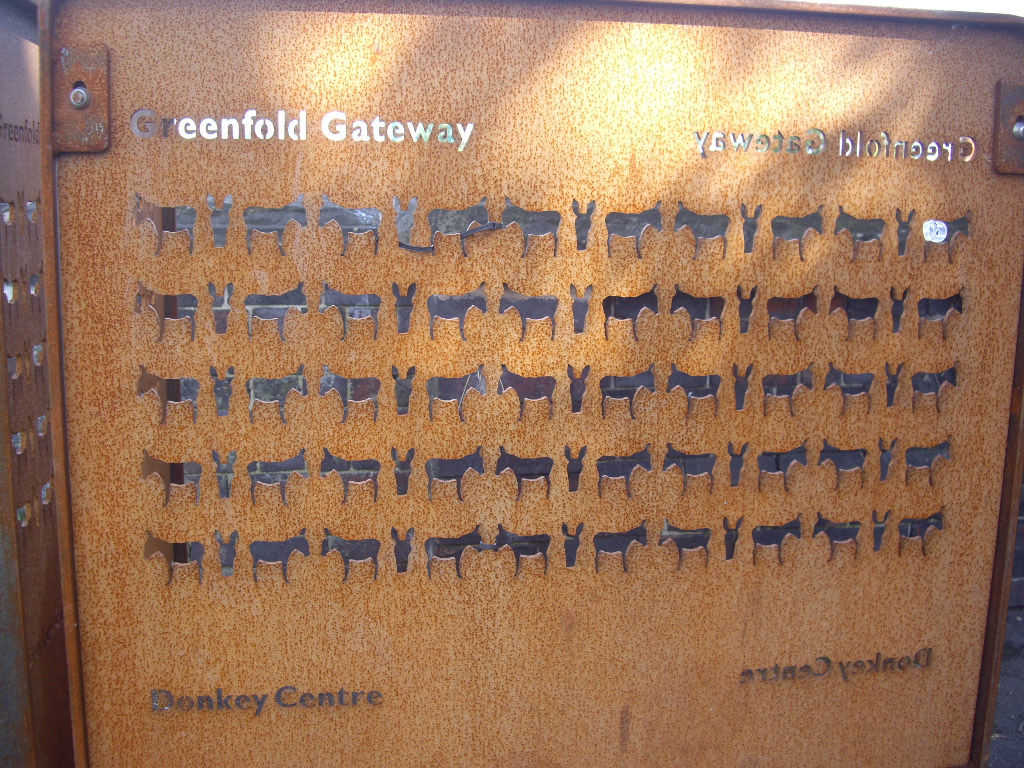
Does anyone remember b3ta.com? I mean, it still exists, but I just assume that, like myself, most people must have stopped hanging out there to make way for a new generation of kids who were into photoshopping puns and making Buffy swear. Oh man. I miss the noughties.
AnywhatdidIwanttosayagainway, b3ta.com once had a photoshopping misheard lyrics contest and one of the entries that really stuck with me (along with the aforementioned Buffy swear keyboard which taught me the correct – albeit Southern – pronunciation of the word cunt, the zebras in Kenya song, and badger badger badger badger mushroom mushroom… Oh man, I MISS the noughties) was an animation of the famous Beatles lyrics
“She’s got a chicken to ride, she’s got a chicken to ri-hi-hide, she’s got a chicken to ride, but she donkey”

Next thing I remember is going on a trip to Debdale Park and the nearby donkey sanctuary, cycling down the Fallowfield Loop (we all agreed on calling it the floop right?) and singing this song. The donkey sanctuary is located close to the reservoir and Debdale Park where we happened to gatecrash some local parade (that for some reason reminded me of The Prisoner). It currently houses around 20 or so rescue-donkeys (there’s a list with photos and names of all donkeys along a wall inside) and a couple of rabbits. If you ask nicely (or if you’re a kid) the volunteers even bring out a donkey for close up donkey viewing and maybe even a donkey nose rub. So you’ve got water at the reservoir, donkey noses, and dozens of blackberry bushes on the sides of the floop, which results in a pretty good day out. Go!
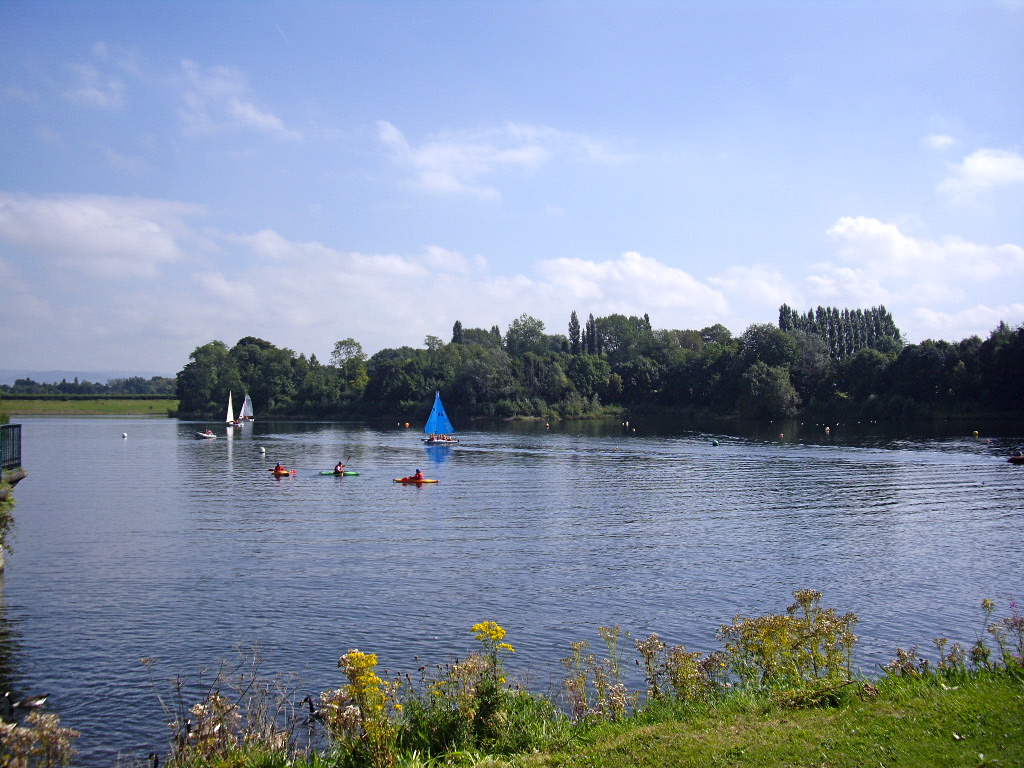


Kids and donkeys welcome.
I’m a professor.
 At least according to Jason Lim from the “World Scientific Team”. Clearly a reputable journal which I will be more than happy to advertise to everyone in my
 pattern recognition knowledge engineering “something with computers” research group.
Removing margins in gnuplot
I’ve had some fun creating plots in gnuplot lately, and happened across one of those “it works everywhere but not for my setup” type problems. Here’s my setup/aims:
- using Mac OS X 10.6 and gnuplot 4.6
- generate plots to use in LaTeX, i.e. either PDF or EPS output
- change the standard ratio of the plot canvas from around 4:3 to “a bit wider and less high” (in order to fit the standard width of my 1 column LaTeX text without taking up half of the page)
- have no or only little unnecessary whitespace around the plot
This seems to be impossible in gnuplot, as the usual (since gnuplot 4.4 or so) way to change the plot and canvas size “set size …” works differently for the postscript terminal. You can change the plot size or aspect ratio, but not the canvas size, which results in lots of whitespace around the plot, see the picture below where the blue frame marks the bounding box of the resulting eps.

This is obviously not great, but there seems to be now way around it other than manually removing the whitespace, e.g. in Preview. After some digging, however, I came across the eps2eps tool (happened to be installed on my machine already) which “fixes” the bounding box and removes unnecessary whitespace. Unfortunately, for some unknown reason, it also rotates the resulting image by 90 degrees clockwise and there are no options to rotate or prevent rotation of the output. Ugh.
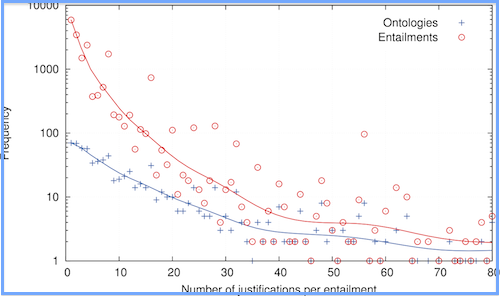
After some more digging, I found yet another tool, eps2pdf, which converts an EPS image to PDF – and happily accepts a rotation parameter. I simply downloaded the EPS tools package and copied the three files into /usr/bin and made them executable to run them. Et voila, I’ve got a 3-tool-pipeline for generating margin-less plots – see the resulting graphic below.
In the plot file:
set size ratio 0.6
set terminal postscript enhanced color
set output 'frequency.tmp.eps'
My script (plot.sh) for generating the PDF output:
gnuplot $1.plt
eps2eps $1.tmp.eps $1.eps
eps2pdf -r -90 $1.eps
rm $1.tmp.eps
Run the script with
sh plot.sh frequency
And here’s the resulting PDF – beautiful, non?
Getting a Raspberry Pi to run, using Mac OS
I just installed Raspbian for the second time on my Raspberry Pi (I needed the SD card for my digital camera a while ago…) and had some troubles at first getting the SD card to work on Mac OS because of a “Read-only file system” error. Here’s some instructions, in case you happen to come across the same problem!
- Download Raspbian, the operating system to run your Raspberry Pi. I download the latest version here.
- Unzip the file you’ve just download – you will get a file with the extension .img.
- Make sure the little lock on the SD card is in the “unlocked” position.
- Plug your SD card into your card reader.
- Check if the SD card is writable: Open the “Disk Utility” on your Mac and click the SD card, then go to the “Erase” tab. If the “Erase…” option (see image) is grayed out, the SD card is not writable. Also, if you try to delete or modify any existing files on the SD card, you may receive a “Read-only file system” error.
- I don’t know exactly what causes the “Read only file system” problem, but fortunately I found a solution online:
Plug in the SD card and go to “System Preferences” > “Sharing” on your Mac. Select “File Sharing” and then the little + sign under “Shared Folders”. Here, you can select the SD card (in my case it’s named “CAMERA”) as a shared folder (see image below). The SD card will now be writable! - Close the System Preferences and return to your Terminal. I got the following instructions from Dag-Inge Aas’ website.
- Change into the directory where you have downloaded and unzipped the Raspbian image. In my case I saved the file in “Downloads”:
cd ~/Downloads - Identify the device name of the SD card by typing:
df -h - The device name will probably be something like disk1s1 or disk2s1. Then unmount the disk, using the SD card’s device name if it is different from “disk1s1”:
sudo diskutil unmount /dev/disk1s1 - And finally, install the disk image file to the SD card. Make sure the raw disk name, that is the “rdisk1” at the end, is right. It will be rdisk1, rdisk2, etc. depending on the device name above:
sudo dd bs=1m if=2012-12-16-wheezy-raspbian.img of=/dev/rdisk1 - Wait for a few minutes until the image is installed on the SD card. You will then see a message right at the end.
- Eject the SD card, plug it into your Raspberry Pi, and off you go!
 Sam Bail
You must be logged in to post a comment.